A Journey Towards Minimalism
I've always been a curious tinkerer at heart. If something is not right, I've always yearned to get it 'fixed'. I had my personal blog on a shared Linux server, running WordPress. WordPress, of course, is the world's most popular blogging platform. It provides easy interfaces to get started with content creation but also introduces a lot of overheads in that process. It has been over a decade that I have been running my blog(s) on that platform. Yet, it felt very tardy, site load times were very slow and there were frequent downtimes. A big part of that also had to down with the Shared Hosting plan, which throttled throughput to and from the web server, located somewhere in the United States.
So, when my now ex-hosting provider reached out to me over renewal of the hosting plan with them, I started reconsidering if I should continue that relationship. To do nothing was the easiest choice. I keep paying for a hosting service with all the downsides of shared hosting and high latency. Or I could take the lesser-considered route and decide to move out - and that would need a full-blown restructuring of my platform. I went for the latter, and I have no regrets now that I'm done with the migration!
Need for Speed: Towards a leaner, faster solution
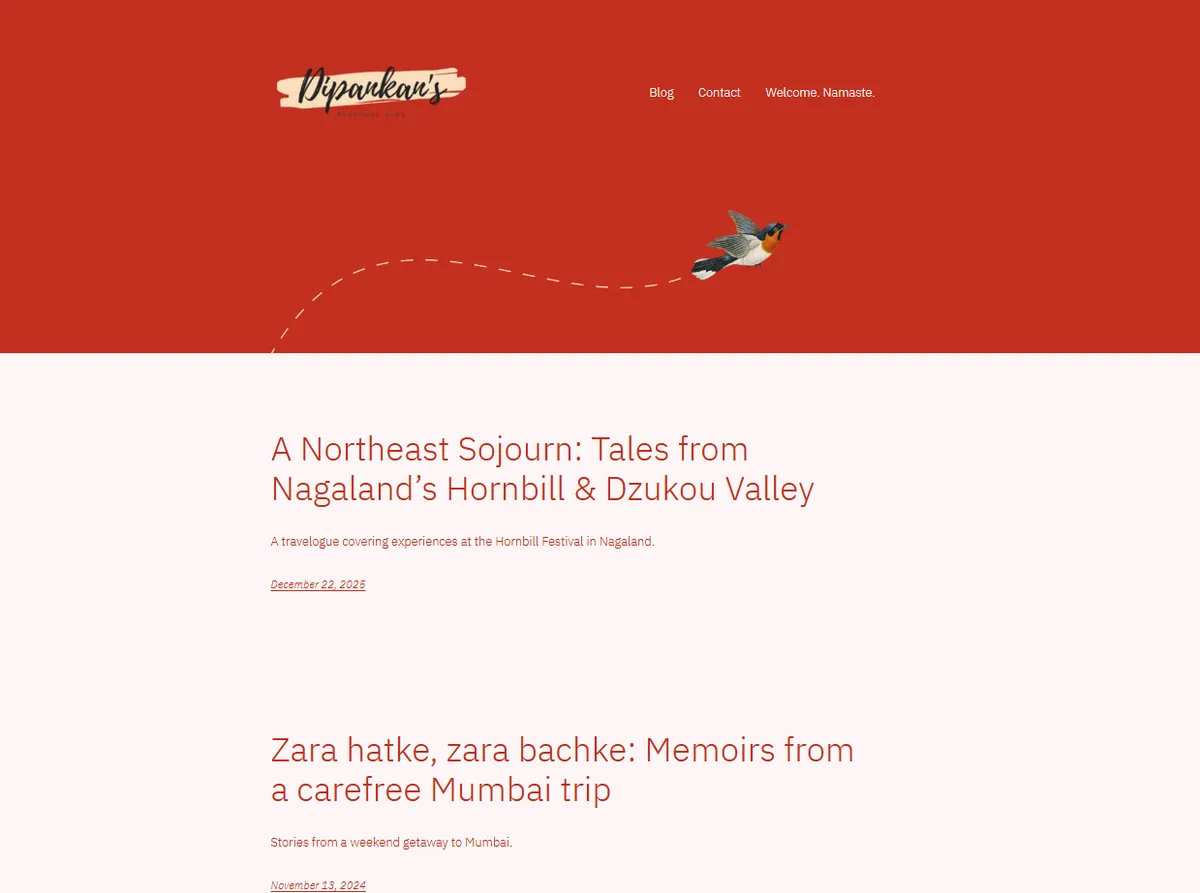
Provided above is a snippet of my blog channel earlier. The site, while visually pleasing, used to take 10-15 seconds to load in healthy network conditions. By all means, that is frustrating. The problem exacerbated when media-heavy posts were to be rendered, as the webserver struggled to respond with a high throughput rate (read: transferring the images from the server to the client, fast enough).
Was it pretty? Sure. Was it good enough? No. There were three considerations I had at the back of my mind:
Lean solution: WordPress for all its features, comes with a lot of bloats. Typically, it consumes a significant space on your server (along with all its dependencies) - code customizability is less and a lot of modifications has to be done through visual low-code/no-code editors. It also has a lot of moving parts which need to be addressed timely. Things like updating the WordPress release, or the PHP version running in the backend, or ensuring that a corrupt SQL database does not end up breaking the site. The fact that I know how to handle a web server doesn't mean I'm necessarily willing to.
Speed: Every time I had a post up and was excited to share it with folks, I got let down by the fact the pages took a lot of time to load. Heck, what was worse was that at certain instances, the pages would half-load the media, and the other images/videos would simply be terminated due to timeout issues. This is purely bad UX. Visual blog content, such as travelogues, thrive on images. Not being able to load images on time is akin to having the raw sourdough base at a pizzeria without all the toppings.
Security: Thanks to the popularity of WordPress, there are constant threats of targeted exploits against the platform. The risk is heightened in case you are not actively engaged in upgrading the platform or ignore security patches. A lot of these are manual activities, including updating plugins. At one point, I got so fed up with brute-force attacks on my domain that I had to end up redirecting my login URL from /wp-admin (the default) to a more obscure /user-login endpoint. I wanted a simpler platform where I could avoid all of this headache.
Evolved Stack: Azure & Bearblog
I am a huge sucker for minimalist, but elegant, design. Who needs server-side web frameworks when you could build a static entry point to a site? I would still need a platform to host my blogs, and I decided to pick Bearblog. It is an incredibly simple, fuss-free blogging platform that operates only on Markdown & CSS. The idea was that users are let in through a common landing page, which then branches out into the several blogs I run. Here's an outlay.
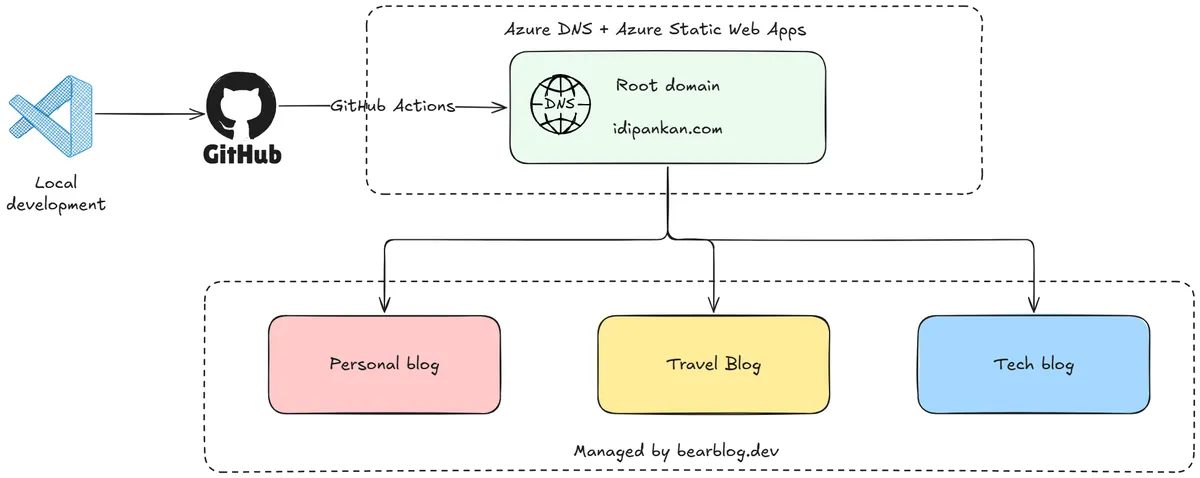
The current landing page at my website is purely made out of HTML, CSS and JavaScript. No dependencies. It is version-controlled through GitHub. The host platform is Azure Static Web Apps. Given the extremely lightweight nature of the page (it is only a few KBs), I can easily opt for the Free tier, which means that I pay nothing to host the landing now.
The individual blogs are also configured to resolve to subdomains of the root. In my case, I'm currently running A Mind at Work (my personal blog), Between Departures (a travel journal), and this one.
The Migration Muddle: Moving out of WordPress
This was the most challenging part of the whole exercise. Given that Bearblog supports strictly markdown-only format for content, one cannot blindly copy-paste from WordPress. The manual route to doing this would be time consuming - that would involve individual chunks of text being formatted multiple times over, headers needing separate treatment, links needing a specific syntax and so on. In short, it is a headache.
But this is the AI age - I knew there had to be a simpler route. I vibe-built an app where a single WordPress Export XML file (yes, you can export all posts) was parsed, stripped and converted into individual markdown files. I've open sourced it for people who may need something similar on my GitHub repository.
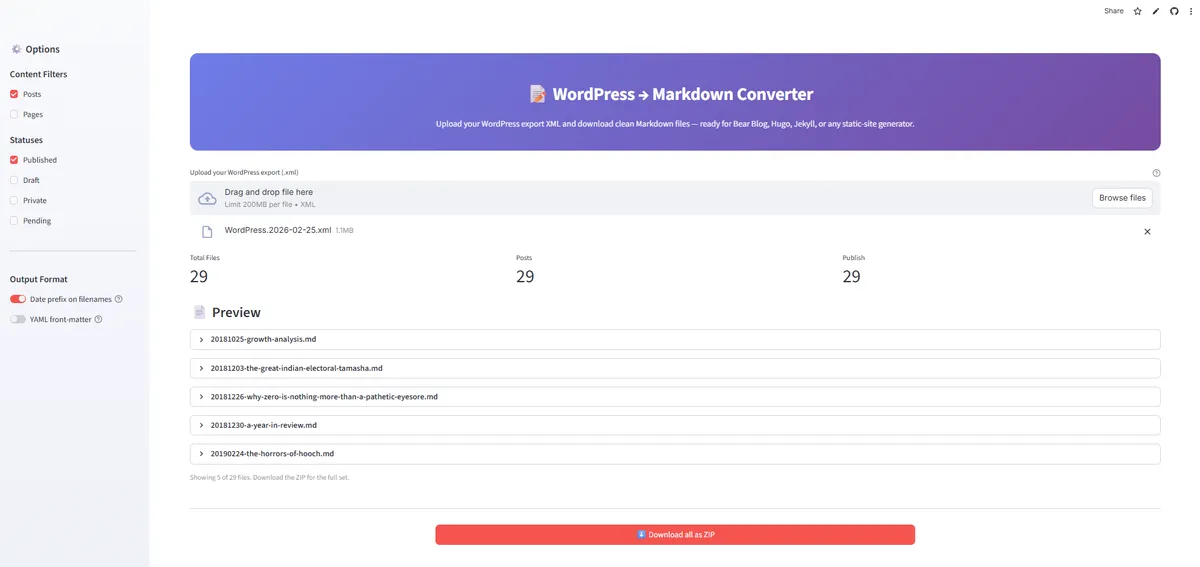 The conversion utility from WordPress to Markdown format
Migration also involves moving media files out of the old webserver, as any backlinks will stop working once the hosting plan is scrapped. Bearblog does allow manual upload but there is no programmatic way to upload files in bulk. My developer brain was active again and I sniffed out the upload files API from the network logs. It was easy to reverse engineer and an automated script uploaded 50+ files to be migrated in a jiffy.
curl -X POST "https://bearblog.dev/<BLOG_SLUG>/dashboard/upload-image/" \
  -H "User-Agent: Mozilla/5.0 (Windows NT 10.0; Win64; x64) AppleWebKit/537.36 (KHTML, like Gecko) Chrome/145.0.0.0 Safari/537.36 Edg/145.0.0.0" \
  -H "Origin: https://bearblog.dev" \
  -H "Referer: https://bearblog.dev/<BLOG_SLUG>/dashboard/" \
  -H "Accept: */*" \
  -H "X-CSRFToken: <YOUR_CSRF_TOKEN>" \
  -b "csrftoken=<YOUR_CSRF_TOKEN>; sessionid=<YOUR_SESSION_ID>; cf_clearance=<YOUR_CF_CLEARANCE>; timezone=Asia/Calcutta" \
  -F "file=@/path/to/your/image.jpg"
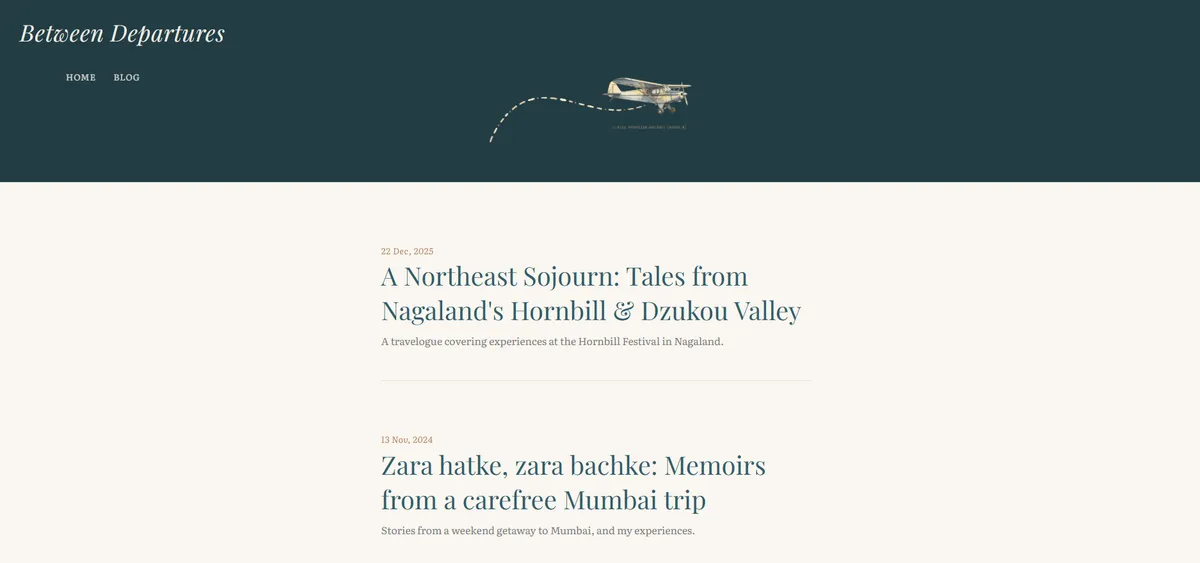
The final results look like this (access here):
Handling DNS and Downtime
When one types a website URL into the browser, the system needs to know where to head to fetch the content. This is handled by a DNS (Domain Name System) resolver. The first check is to see who is 'controlling' the domain, i.e. look at the name servers. As I was hosting with BigRock previously, my DNS records were saved with their Zone Editor. If I had to end the hosting service, I'd also need to point my Name Servers outside of BigRock. This is where Azure steps in again (I love Azure, tbh).
Azure runs a public DNS management service that is eponymously named. Before switching my Name Servers in GoDaddy (the original domain registrar), I copied the DNS records into the Azure DNS service. This was essentially a safeguard, as when the Name Servers are switched, the internet will look at Azure to present the rest of the DNS records. If they don't exist, none of the portals will be accessible.
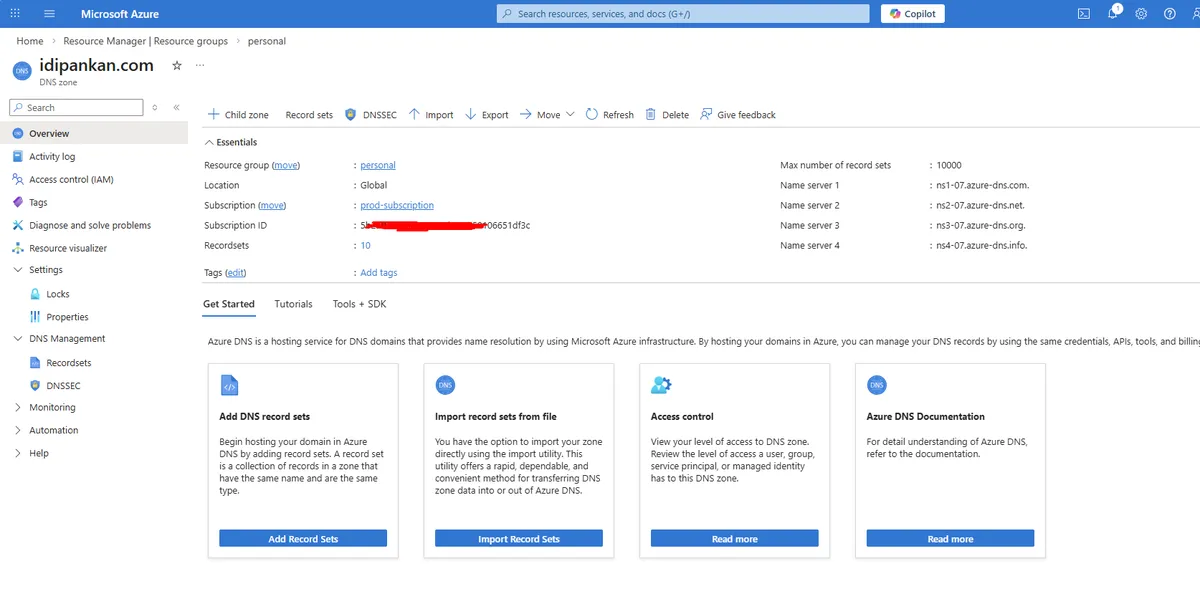
Once registered, I pointed the Static Web App (landing page) to this root domain. The subdomains for the blogs are added as individual CNAME records pointing to the bearblog DNS. Another benefit is that Azure handles the SSL (trusted website) verification by itself. With all these now done, I finally updated the name servers in GoDaddy to point to Azure. And that's all - we went live!
Reflections and Outcomes
To make things a little more fun, when you visit the landing page - you get a localized greeting in the language of your area. So if you open this from Spain, you see Spanish. If you fire up the website from Netherlands, you see Dutch. Within India too, it works at a state-locale level. When I load the site from Chennai (Tamil Nadu, India) - this is what I see. A greeting in Tamil. If I open it up from Maharashtra, I would see Marathi, and so on. Cheeky trick! I also love the dynamic effects when you move your mouse around, so that is also thrown in. Have fun jiggling the mouse.

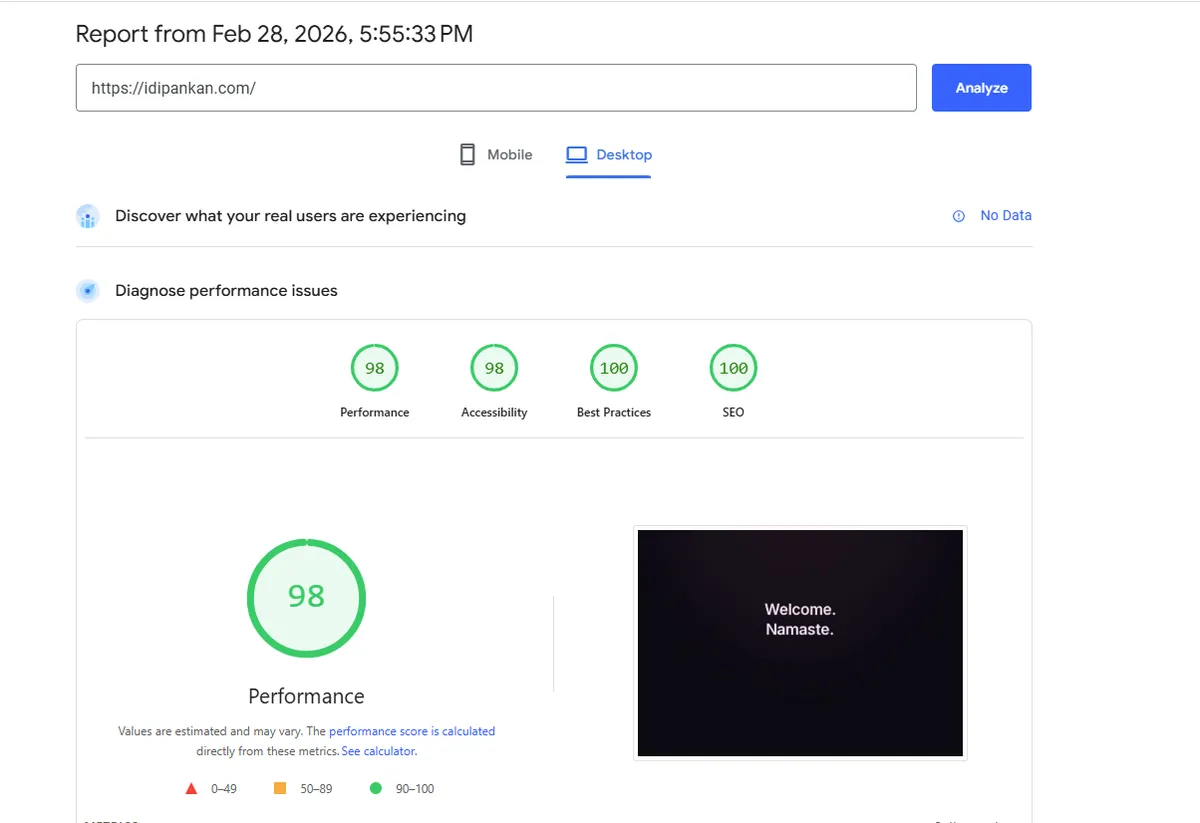
With the full system now being synced (DNS configured + Blogs Migrated + Azure SWAs setup), there was a marked improvement in load performance. From 10-15seconds earlier in the best case, the site loads within 1 second. This is a 93% boost! The site also performs highly on popular page performance indexes on the web. One report is attached.
I've been intending to do this for a long while, but I'm so happy that I decided to proceed with my instincts and get this done with. My only task would be to ensure that my domain keeps getting renewed - and everything else is automated and taken care of. Phew, no more handling random WordPress errors, raising tickets to the hosting service ... the list goes on.
With that said - I'm looking forward to share more of my mind in these blogs. Not necessarily for views but as my own space in this huge mesh of machines called the internet.