Auto Reply 2.0: Architecting Intent-Aware Email Systems That Decide, Retrieve and Respond
A lot of businesses deal with the challenge of rising e-mail volumes. This is a double-edged sword - every single mail is a potential business opportunity, but it also needs manual evaluation today, leading to nonoptimal employee utilization. When the volume scales to beyond two hundred mails a day, and if you throw in the metric of the Mean Time to Respond (MTTR), things get murky very quickly. If done well, the leads convert, and the business makes money. If not, annoyed customers do not return - and also leads to a negative word of mouth. Big trade off!
Marking the Problem Space
Let us assume that we own a hypothetical tours & travel company, called DP Travels. We primarily cater to two portfolio areas: one, a tours business and the other, a car rental business. There is a common helpdesk email where users write to- and is typically used for enquiring about upcoming tour programmes & price estimates OR wanting to understand if a specific car is available for rentals.
As an owner, I would want an agent to handle most routine asks - such as queries pertaining to either of the above verticals, and only forward such threads to a human operator if deemed necessary. This, in essence is building a L1-filtering layer, where non-value adding tasks are automatically processed and disposed of, leaving humans in the driving seat for complex cases. Ideally, the system should be FAST (less end-to-end latency between the incoming mail and the intelligent auto-reply), and should be cost-effective (no one wants to burn through funds!)
Building a Solution Design
The problem, albeit concise, must be carefully looked at. What are the potential entry points for the customer? How can we combine an understanding of the user's intent into an automated agentic system, that can get back to the user with meaningful, real-time information?
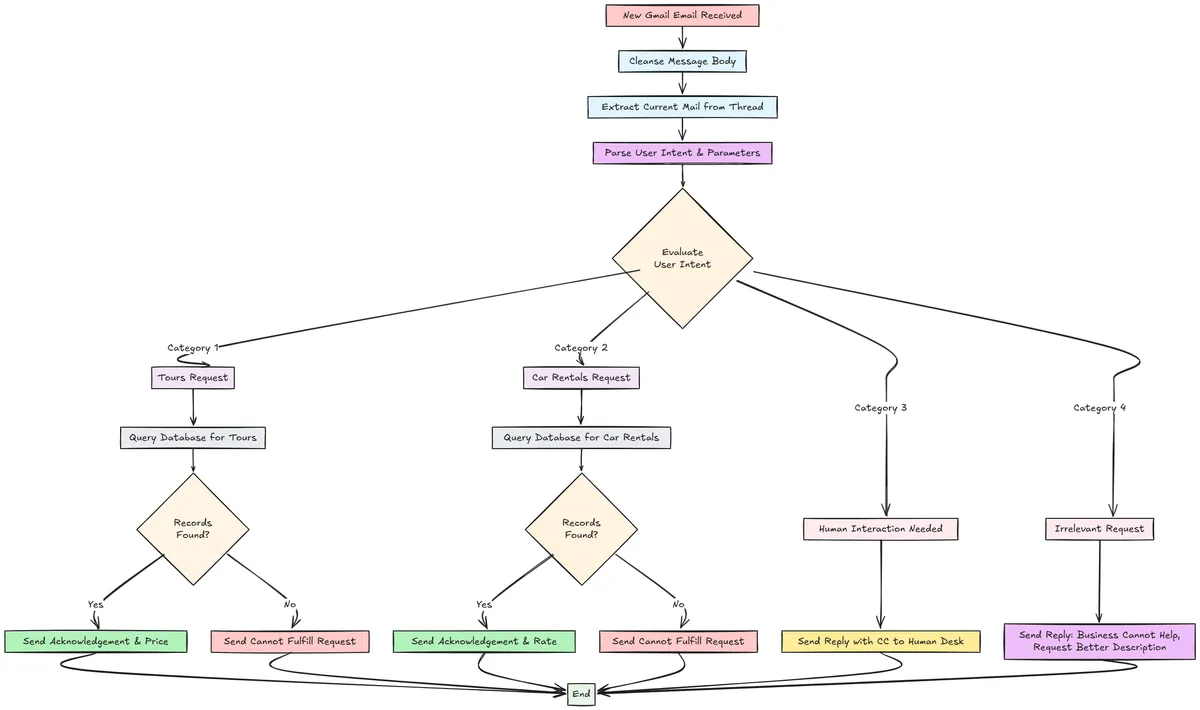
Generally, there are four broad addressable cases in this scenario.
The customer wants to learn if there is a tour package available for a specific destination, and perhaps the price for the same.
The customer wants to rent a specific car variant - and is curious to learn about our hourly rates.
Because conversations can be running in threads (read: replies), the customer may either ask for information that is related to our business line, but perhaps not a standard use case to solve (getting tour/rental prices). Alternatively, if the customer's tone seems upset/frustrated, we must immediately divert the conversation to a human operator.
If the input is completely irrelevant, we respond that it is not a business we serve. Apologise if there is a misunderstanding and ask them to come back with a more detailed description of what they want to know.
Given the above, here is a solution flow diagram that neatly illustrates it.
Technical Design Stack
This is a use case that can be handled in a serverless fashion. A serverless design is often preferable as it is extremely cheap compared to dedicated systems and also has event-driven capabilities. We will use a combination of Azure Serverless features, such as Logic Apps, Azure Functions and a serverless SQL Server, for this project.
Setting up Mock Data
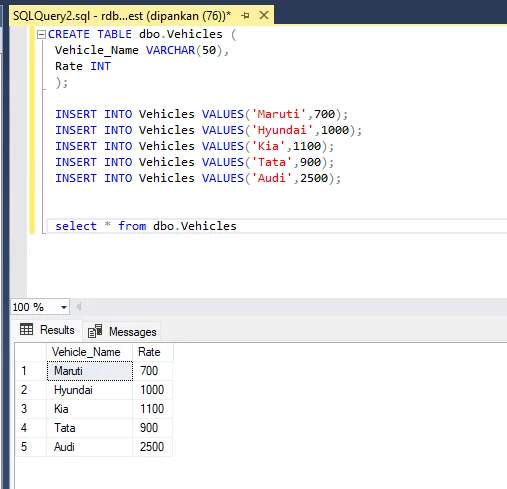
To simulate a real world business data store, we will build two tables. One table stores upcoming tour information, and the other stores vehicles available for rent. This is executed within a serverless Azure SQL Server. Here's a snip of the Vehicles table. The Tours table has a similar structure - Tour_Name and Price.
Email Trigger and Cleansing
Based on the requirements, our solution has to fire every single time there is a new customer e-mail. This is implemented by a windowed polling mechanism, that looks at if there was any activity on the connected mailbox over the last N minutes. I've configured it to check every thirty seconds.
For the sake of simplicity, we can assume that only customers send mails to the mailbox. In a production system, we will need to eliminate promotional/spam messages from triggering our responder solution.
This is followed by a cleansing step to extract only the latest response from the mail chain. When a conversation grows over replies, evaluating older replies might lead to outdated context for the model. Of course, this is a case-driven consideration. We don't really need the context from four replies earlier - only the current exchange matters for the design here. Our solution is now ready to advance.
Parsing the User Intent
This is a critical juncture in our design, and is vital to getting our accuracy metrics right. From the unstructured message body that is getting ingested, we need to classify the user's intent into the four broad categories postulated earlier (refer diagram) and also extract any additional parameters if provided- such as the destination city name or the car variant they're looking to hire.
We use an Azure Functions + OpenAI combination here. The integration works by passing a POST API request to the Functions URL with the message payload, and consequently get back a structured response in a predefined JSON format. This is an implementation of Azure Functions in their portal. The payload structure is defined as below.
{
   "text": "<Cleansed Message Payload Here>"
}
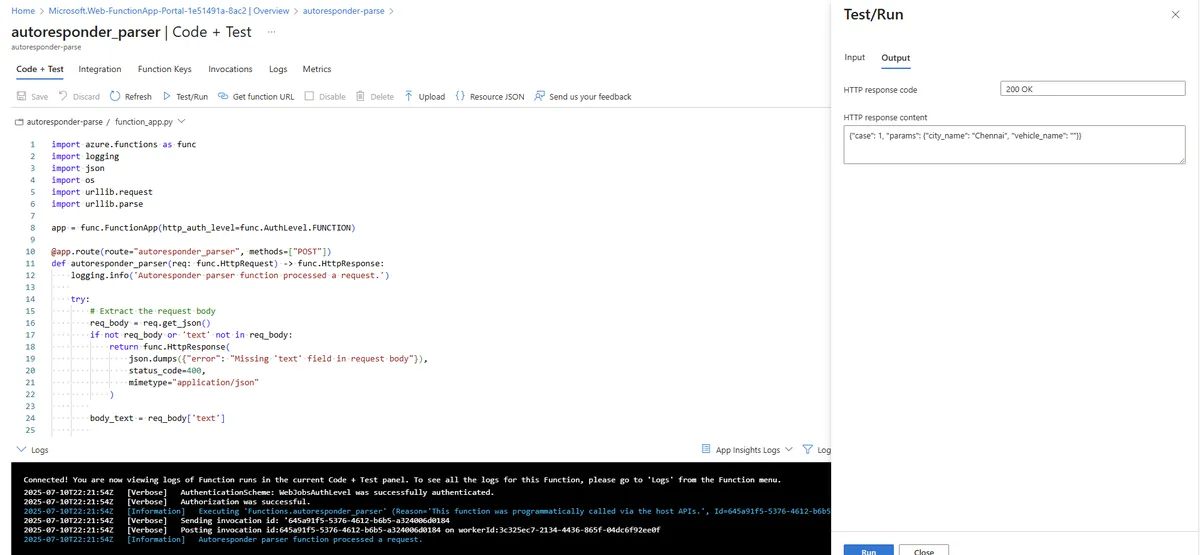
The JSON response will always be in this format:
   {
            "case": "<number>",
            "params": {
                "city_name": "<city_name or empty string>",
                "vehicle_name": "<vehicle_name or empty string>"
            }
   }
A Postman request to the endpoint is highlighted below, for reference.
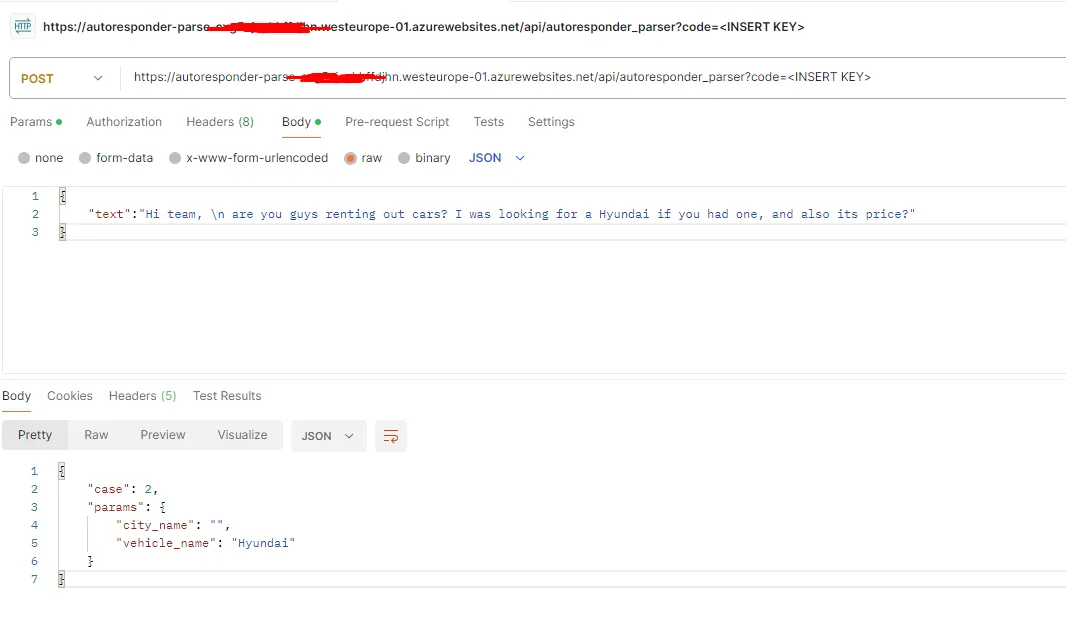
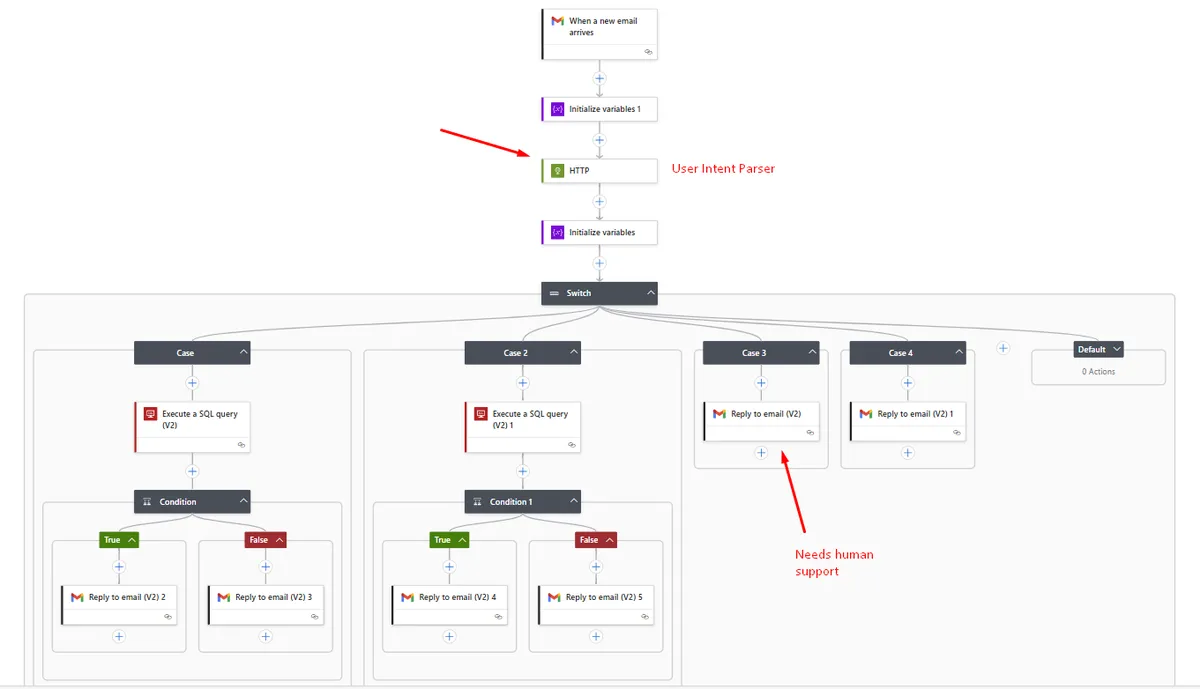
Behind the scenes, the Azure Functions is calling the GPT-4 model to transcribe the unstructured data into the structured format above. Now that the intent is understood, we proceed to take actions on it. In our Logic Apps flow, we implement a Switch Conditional to now operate in the four recognized interaction patterns.
Cases 1 & 2: Customer has asked a relevant, business-focused question
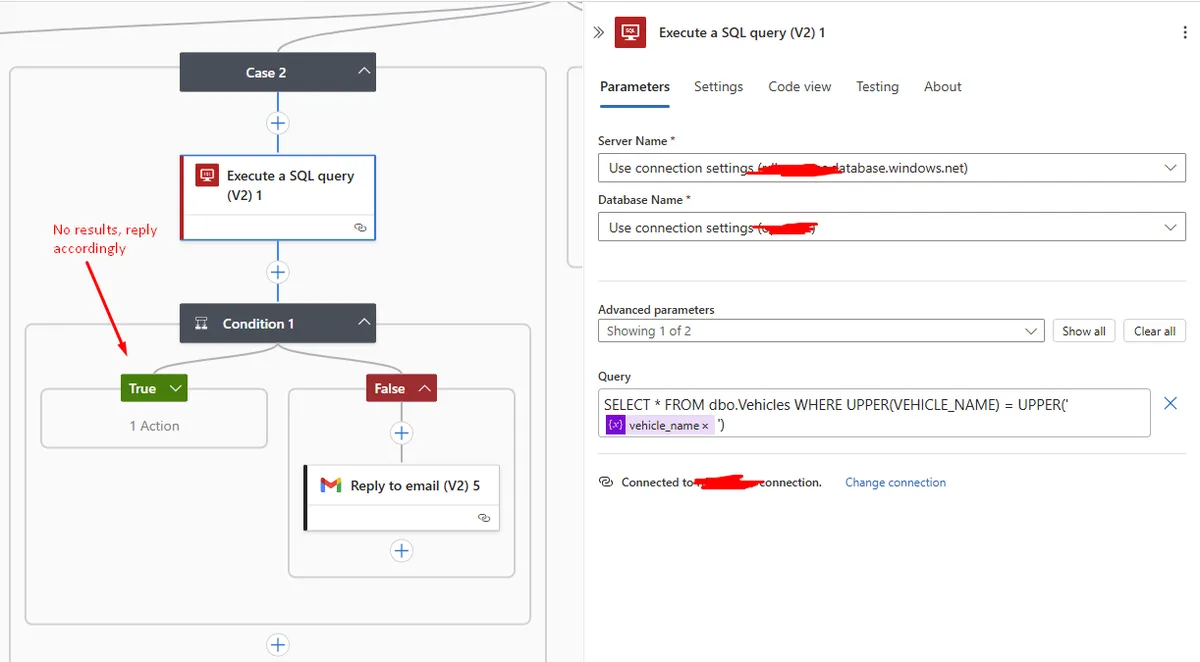
This could either mean that the customer seeks to understand the pricing of a tour package or the rentals cost, based on the case identified. We will assume that it is a question around renting a car. In this situation, the flow realizes it has to evaluate if there are any cars available for the brand requested, so it fires a SQL query. If there are responses, we extract the vehicle rate information from the database query and send it back to the user.
Cases 3 & 4: Needs human intervention/irrelevant
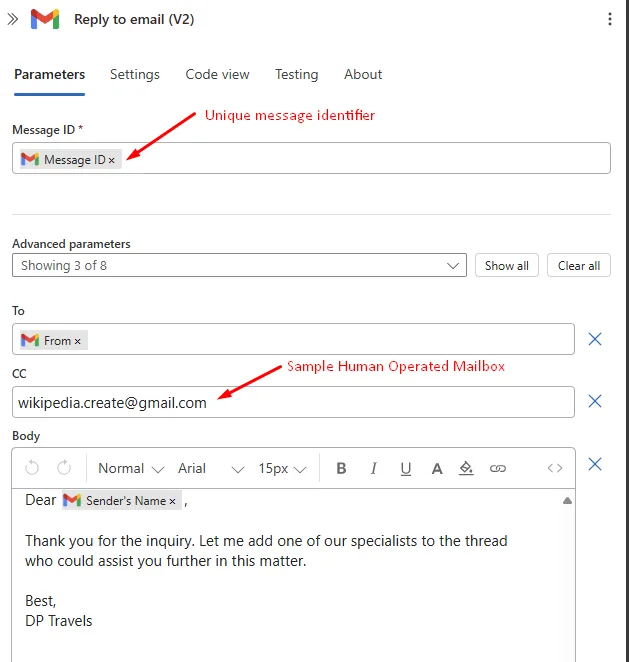
In this circumstance, the flow has to send a mail back to the user. If it is detected that a human intervention is preferred, the system will CC the human operator for their notice. Else, if it is irrelevant, it shoots back a mail noting that it would be unable to help. The e-mail response template looks like this.
Logic Apps implementation
The entire solution design, once translated into the equivalent Logic Apps flow, is presented for understanding.
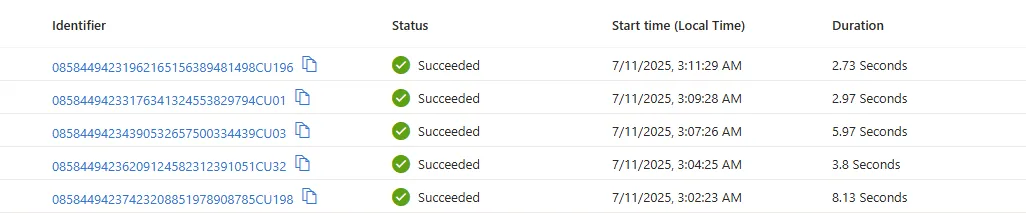
Once the app is enabled, it keeps polling for new mails or responses to earlier threads. This is how it appears when the trigger event happens:
Curtain Rolls - Live Experiment!
Now... we're getting to the exciting part! We will test out our system in real time and assess how accurately it is able to respond to the customer, while enriching its responses with proprietary business data. For this experiment, I'll pretend to be the customer, while I engage another email account as the automated responder.
Let's ask if there's a BMW up for hire this weekend.
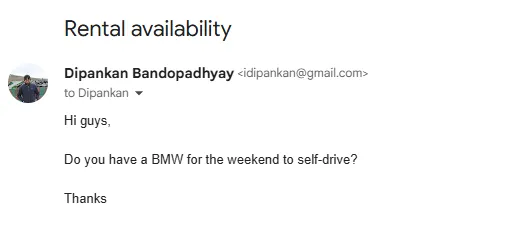
Within a minute, I get a response back, noting there's no BMW available. This is indeed correct, as our Vehicles table above has no BMW option.
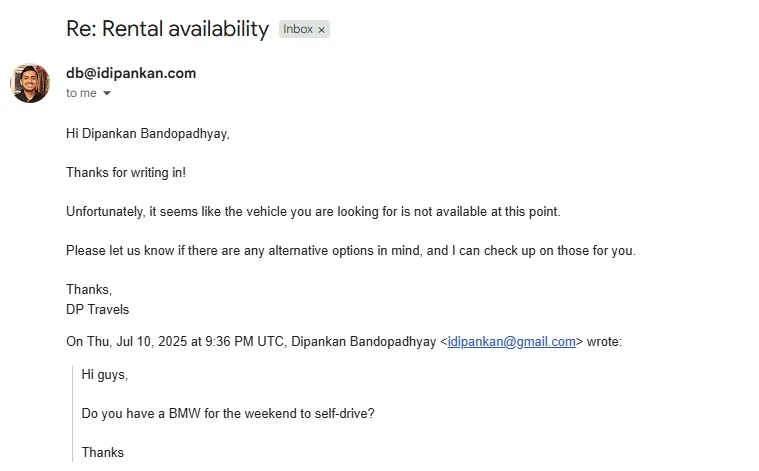
However, natural conversations usually keep going on in reply threads. As a customer not willing to give up, I'll ask if they have an alternative- Audi.
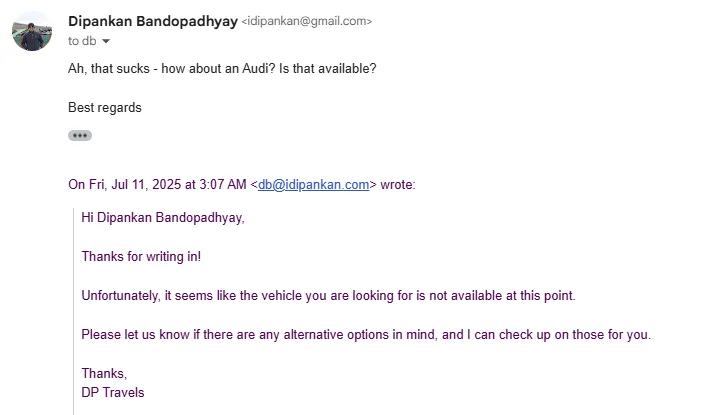
This time, the system evaluates that an Audi is indeed available, and gets back on an optimistic note. It also sends me the rate quotation.
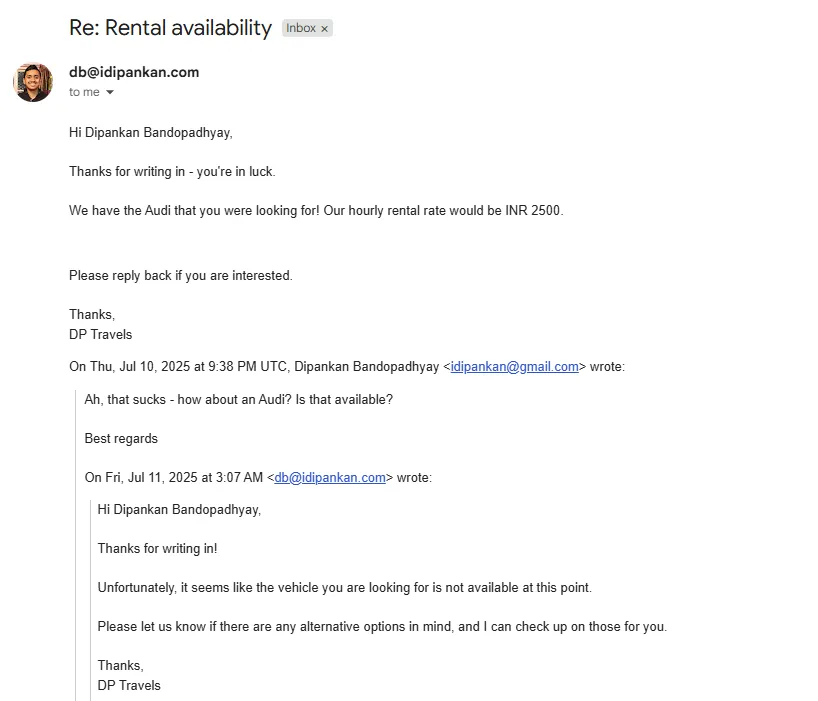
So far, so good. I want to go ahead and make the booking. Don't make me wait!
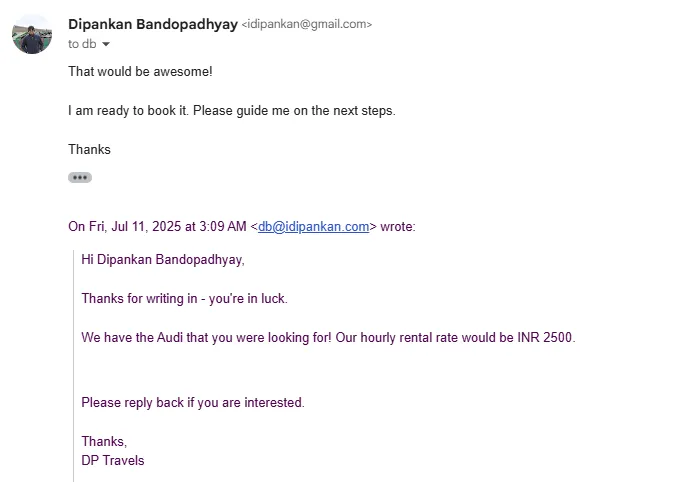
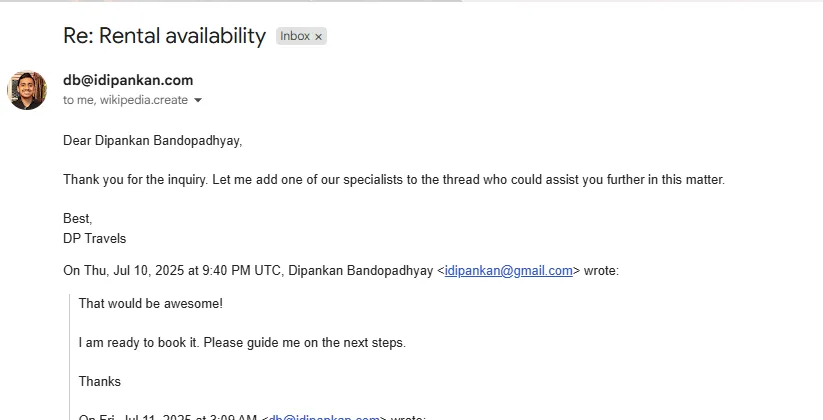
Sensing that the lead is now secured and that the next steps would need human intervention, the system correctly involves a human in the loop now to take care of the request.
Conclusions
Over the last several months, AI-driven workflow automation platforms have mushroomed. These includes the likes of Zapier, n8n, Pipedream and beyond. The platforms offer convenience for the lucrative proposition of drag-and-drop workflows. However, there is a steep licensing cost associated in most cases. In such cases, Azure Serverless offers a very low entry barrier.
As much promise as they hold, AI Agents need a careful solution design planning, so that any 'rogue' behavior is addressed without consequential damage. My advice would be to particularly look for edge cases and handle them upfront - such as the irrelevant entry/human intervention needed detection in our project.
As always, I've open sourced the code and this is available on my GitHub repository: GitHub Repo